Joystick Gremlin is an indispensable piece of software for the flight simulation community.
Open-source, free and created by passionate developers, the tool repels many potential users because of its apparent complexity.
The mission: to make Joystick Gremlin more affordable for neophytes, while valuing the quality and depth of the software.
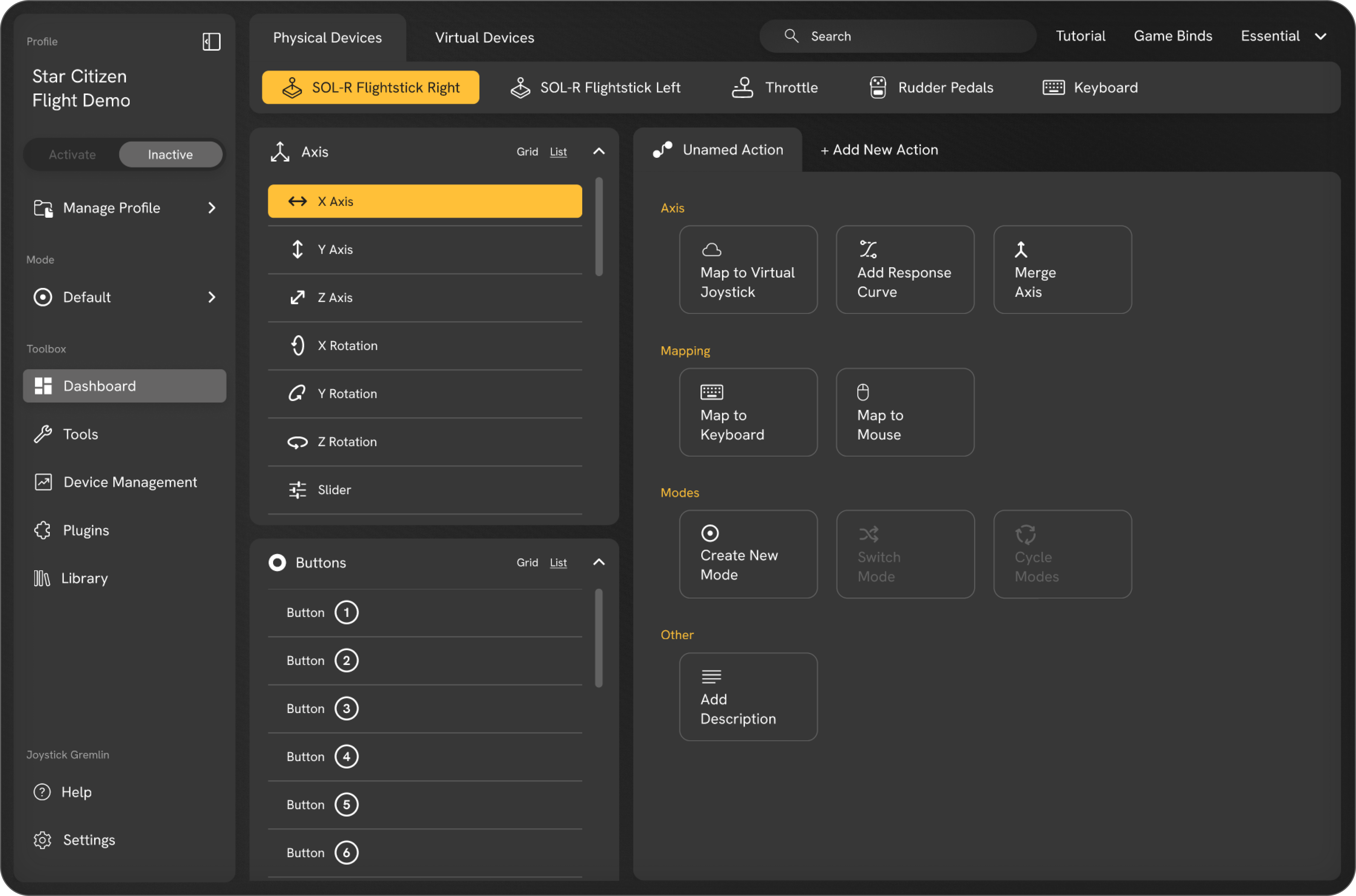
The tool is already one of the most versatile and powerful software programs in the industry, even when compared to paid alternatives.
However, its austere interface, numerous usability issues, and endless list of settings all act as barriers to both first-time use and further exploration.
Only 1 in 10 users manages to overcome the cognitive overload and master the tool, and 5 out of 10 users give up without even completing the installation process.
To ensure that Joystick Gremlin doesn’t lose users due to frustration or the emergence of a competitor, it was urgent to consider a complete overhaul of its user experience.



.svg.png)

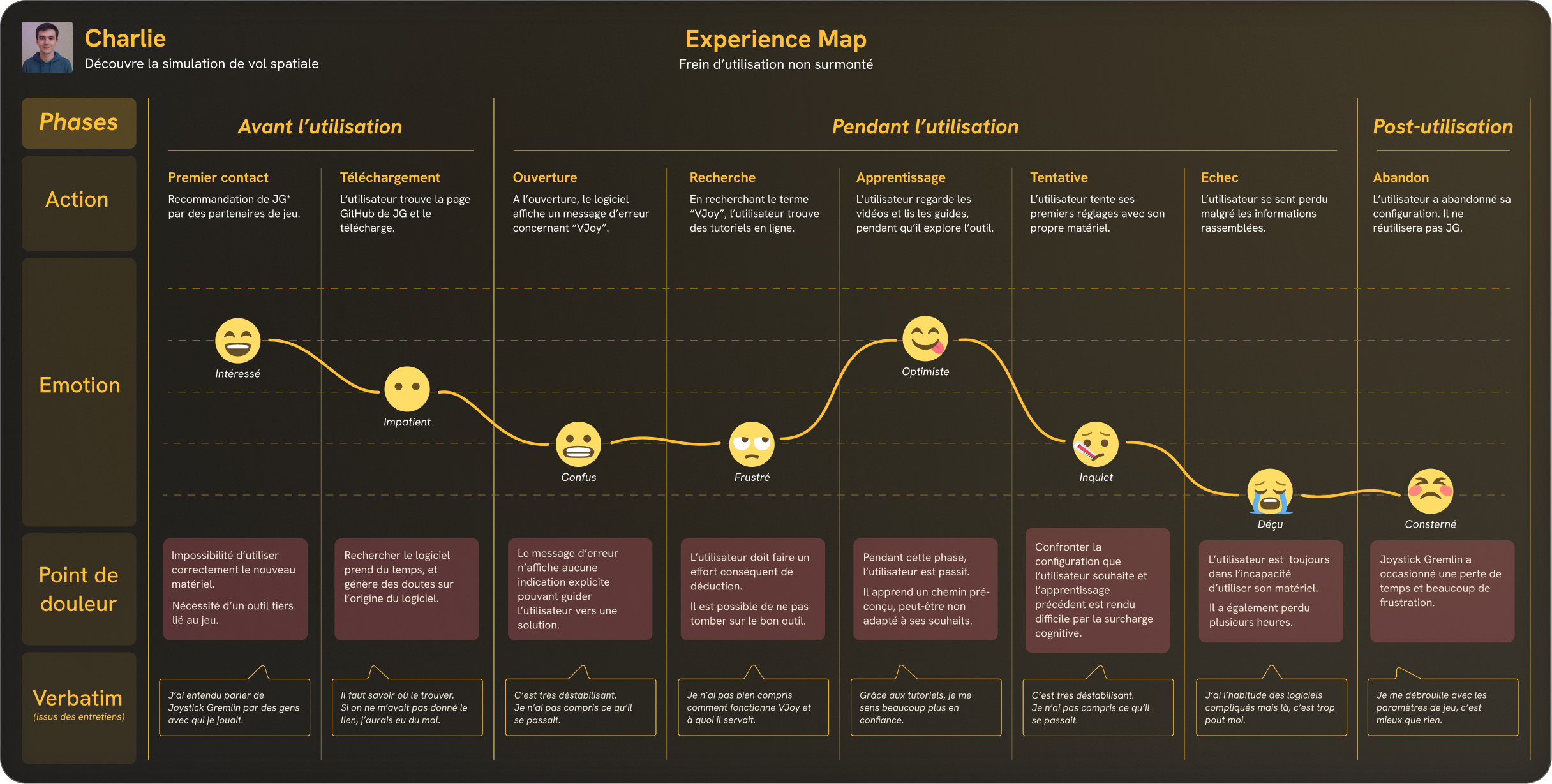
First and foremost, it was absolutely necessary to conduct an heuristic evaluation of the tool.
The very low score of 9.5 out of 20 is certainly striking, but above all, it helps identify the areas that need priority improvement.
Every pilot has their own equipment and flight preferences.
This means there are as many configurations as there are users...
To create a product suited to all needs, I surveyed a broad panel of users representing all skill levels and using a variety of equipment.
Their responses were then compared with those of more than 75 respondents to a quantitative questionnaire and, of course, refined through a collaborative workshop.


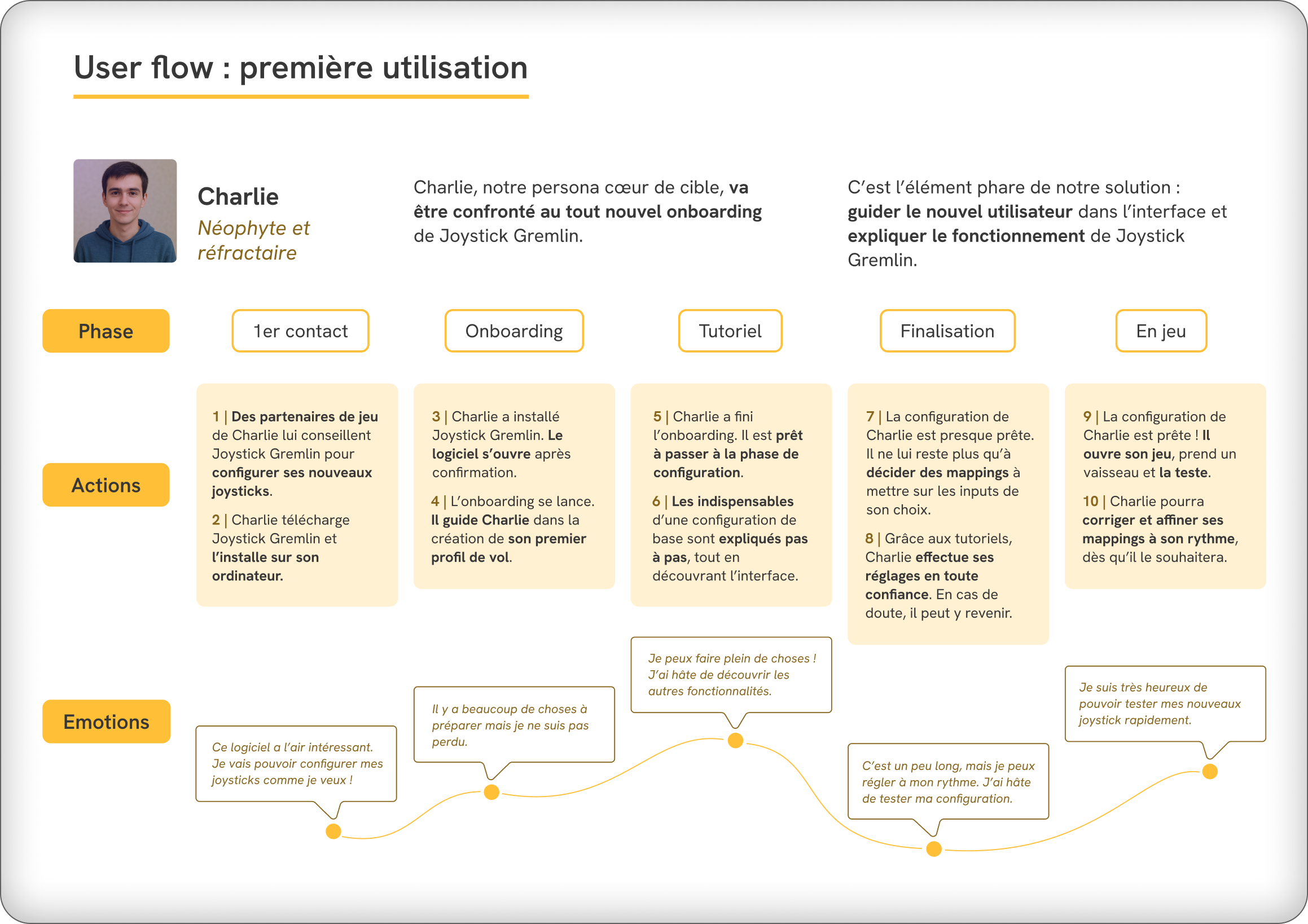
Improving the Joystick Gremlin experience is based on three key areas: making it easy to get started, reducing overall cognitive load, and allowing users to explore the tool independently according to their needs and preferences.
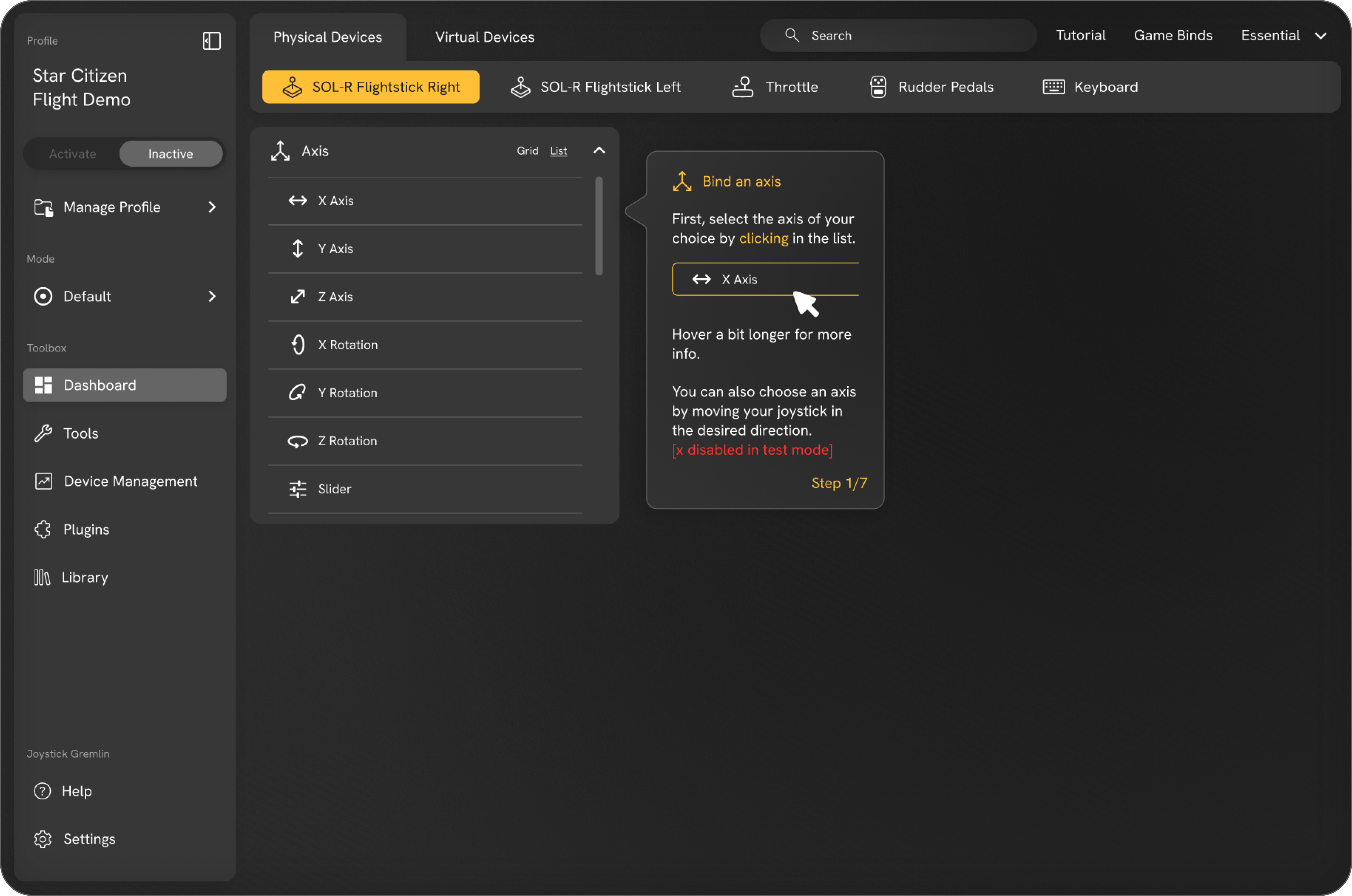
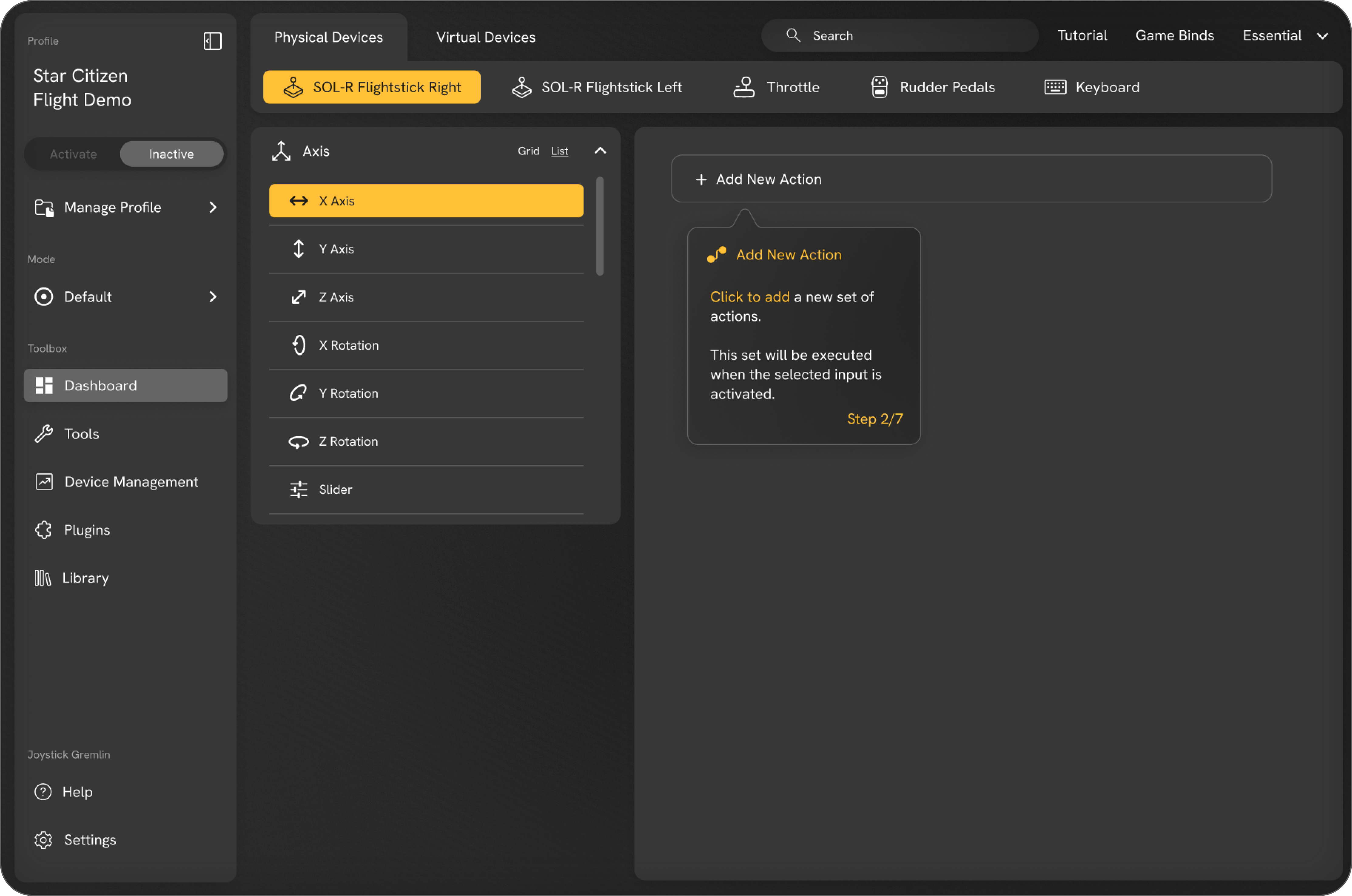
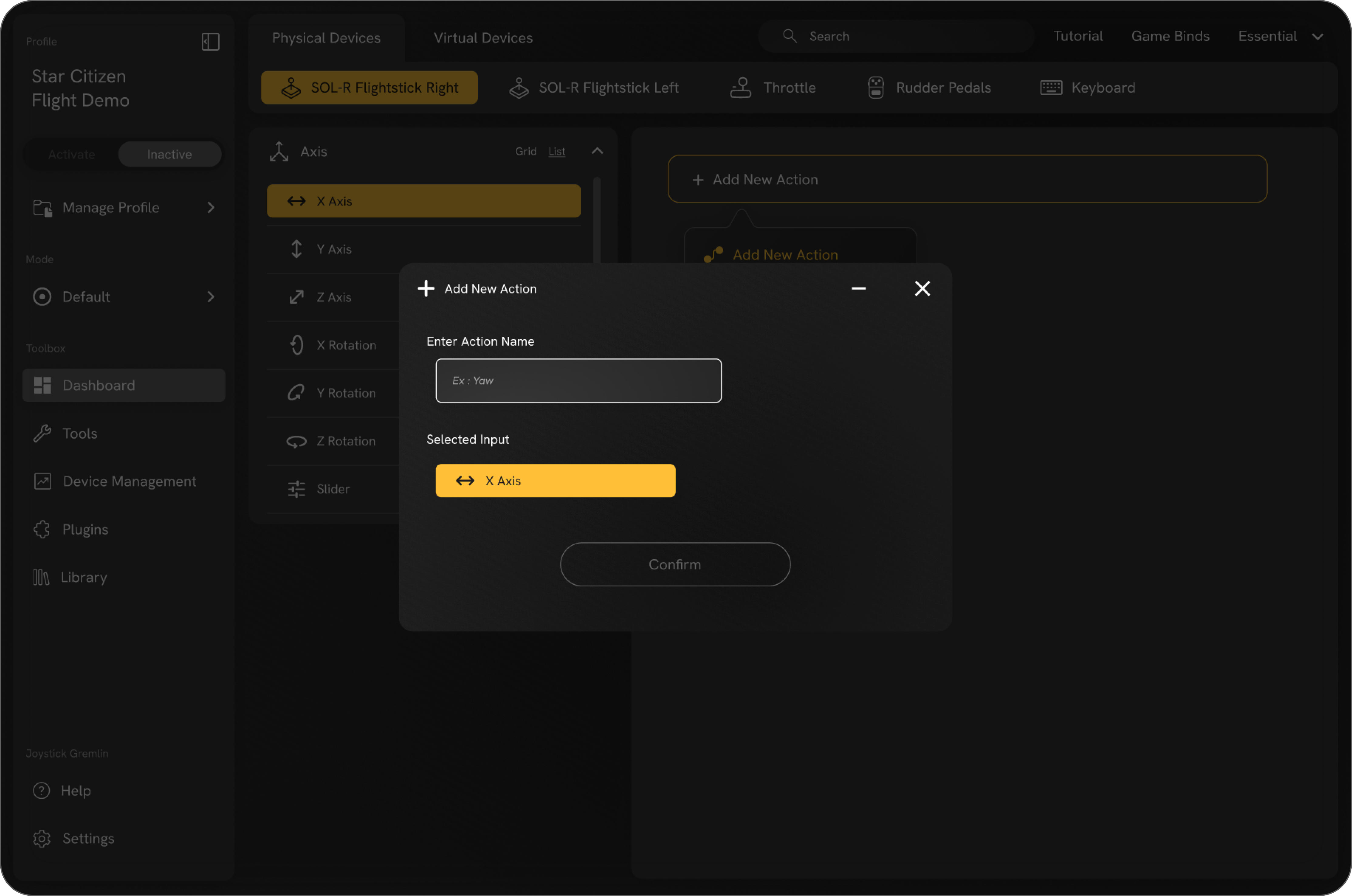
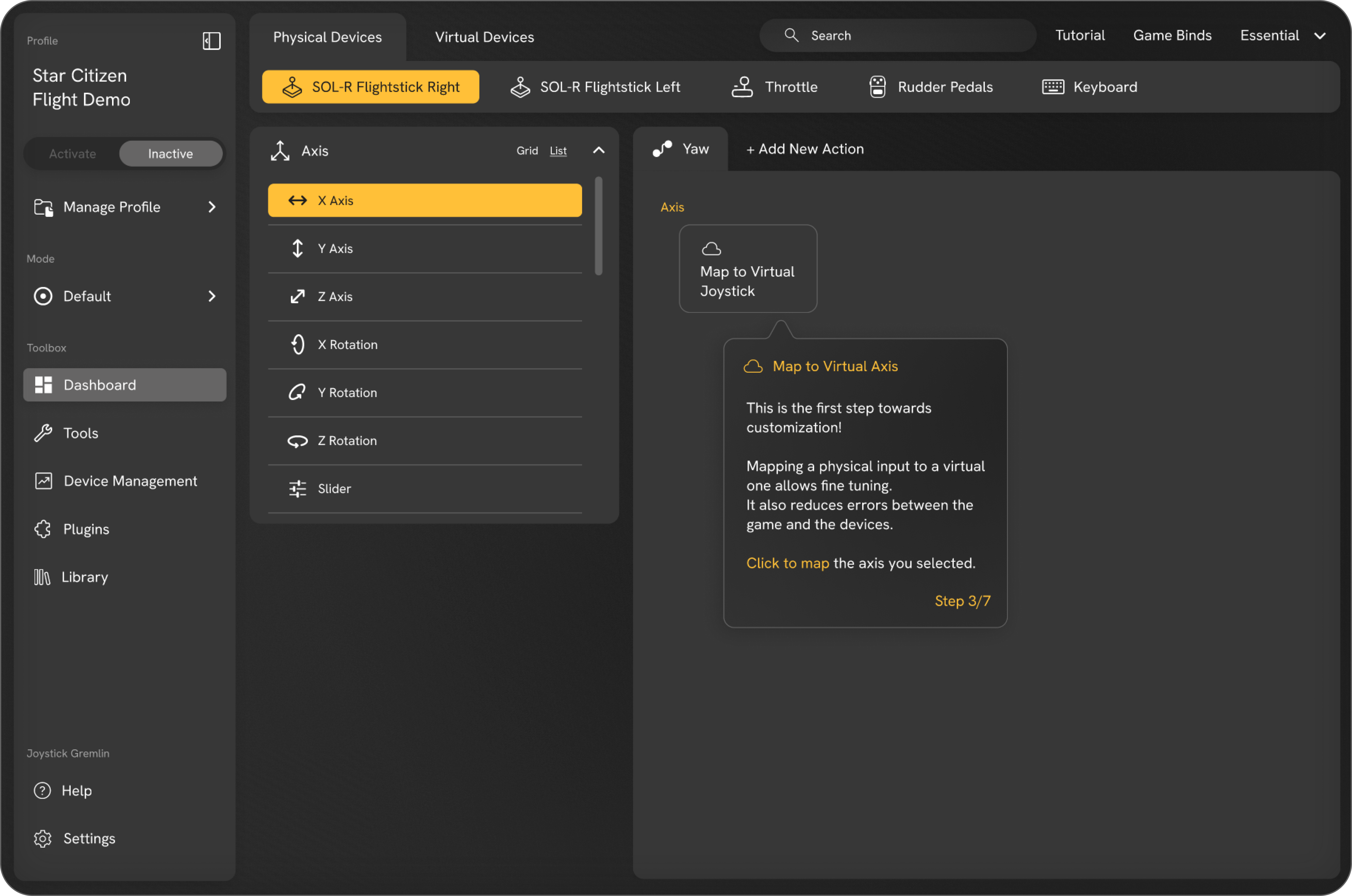
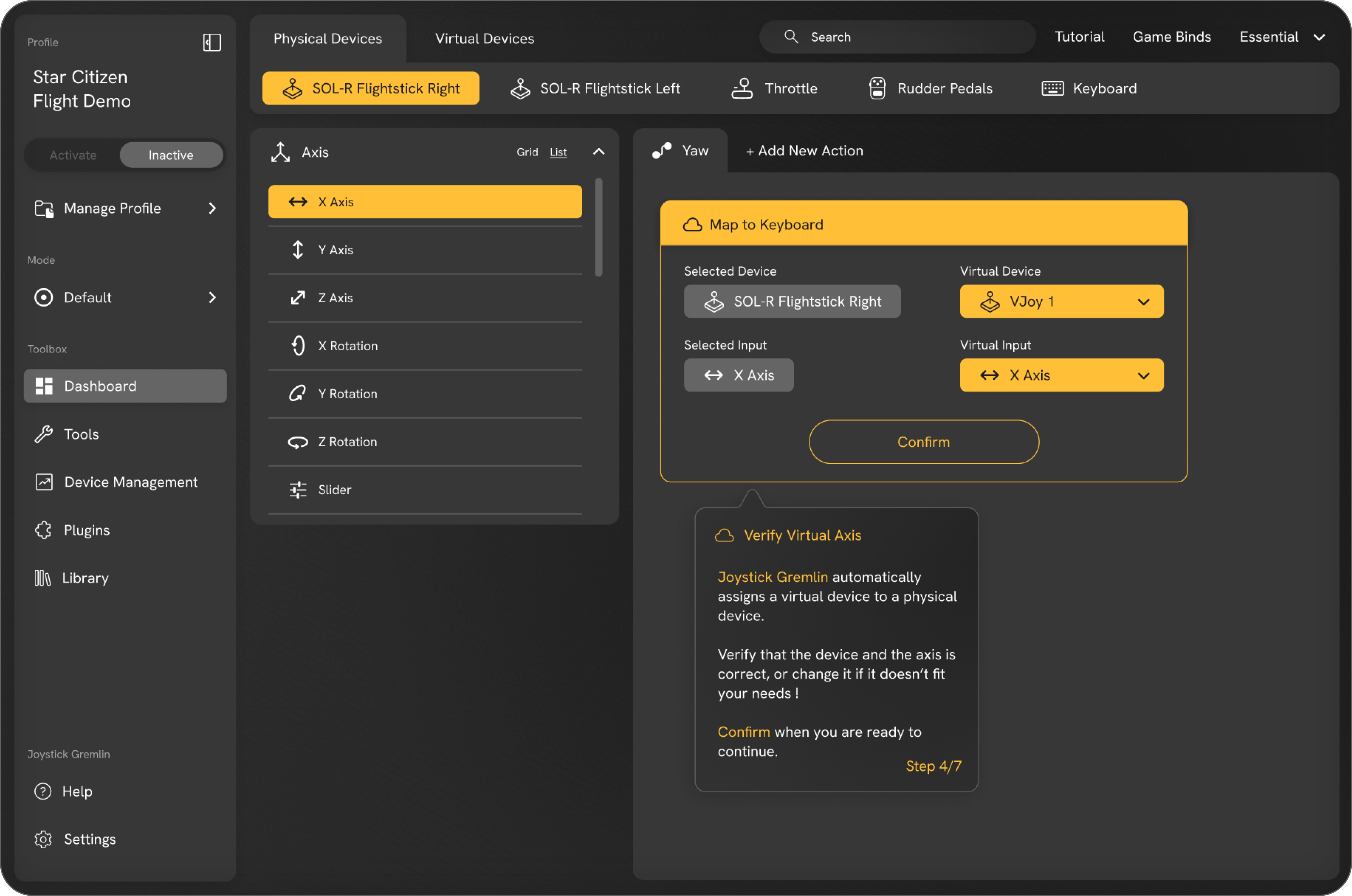
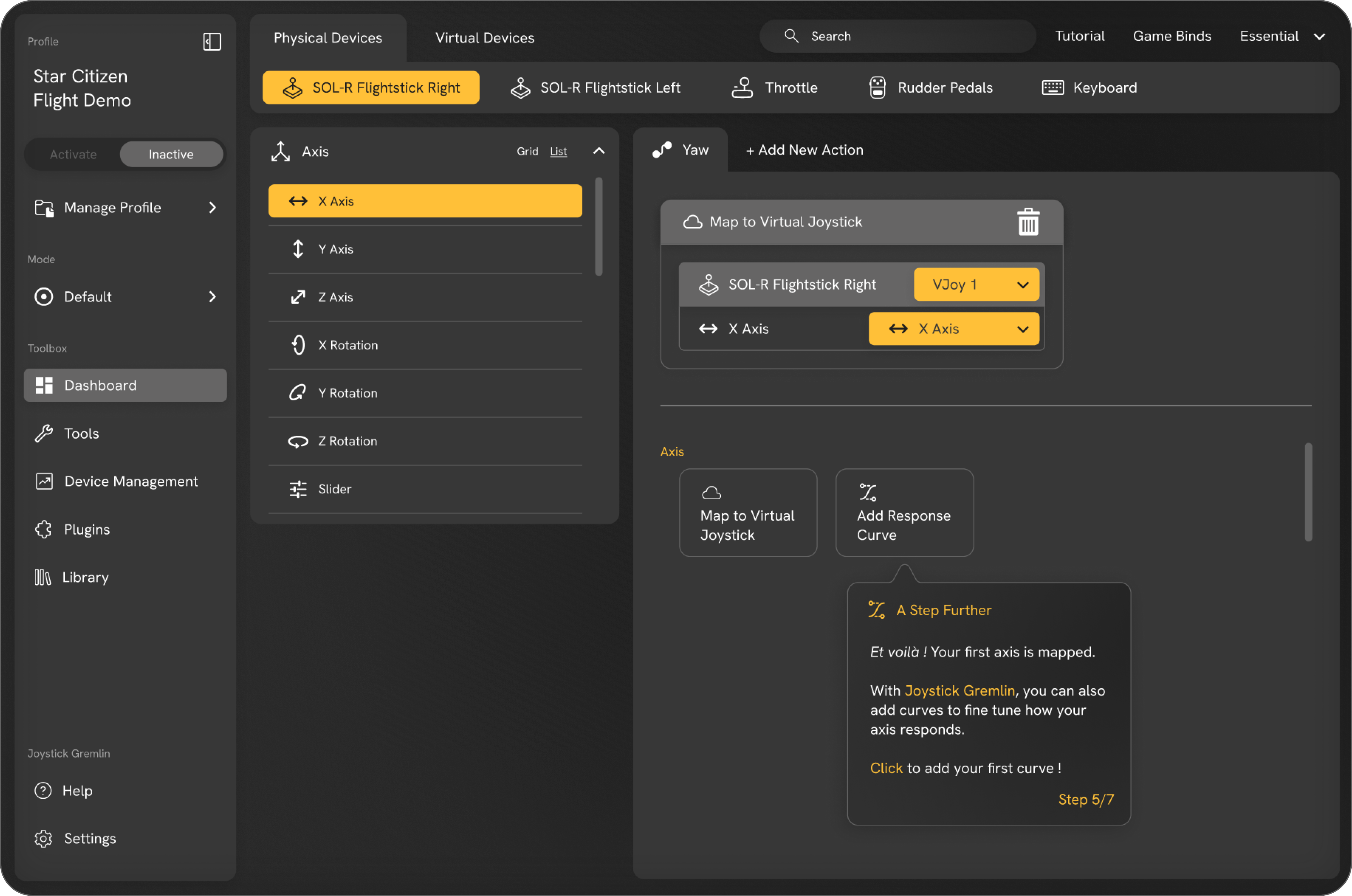
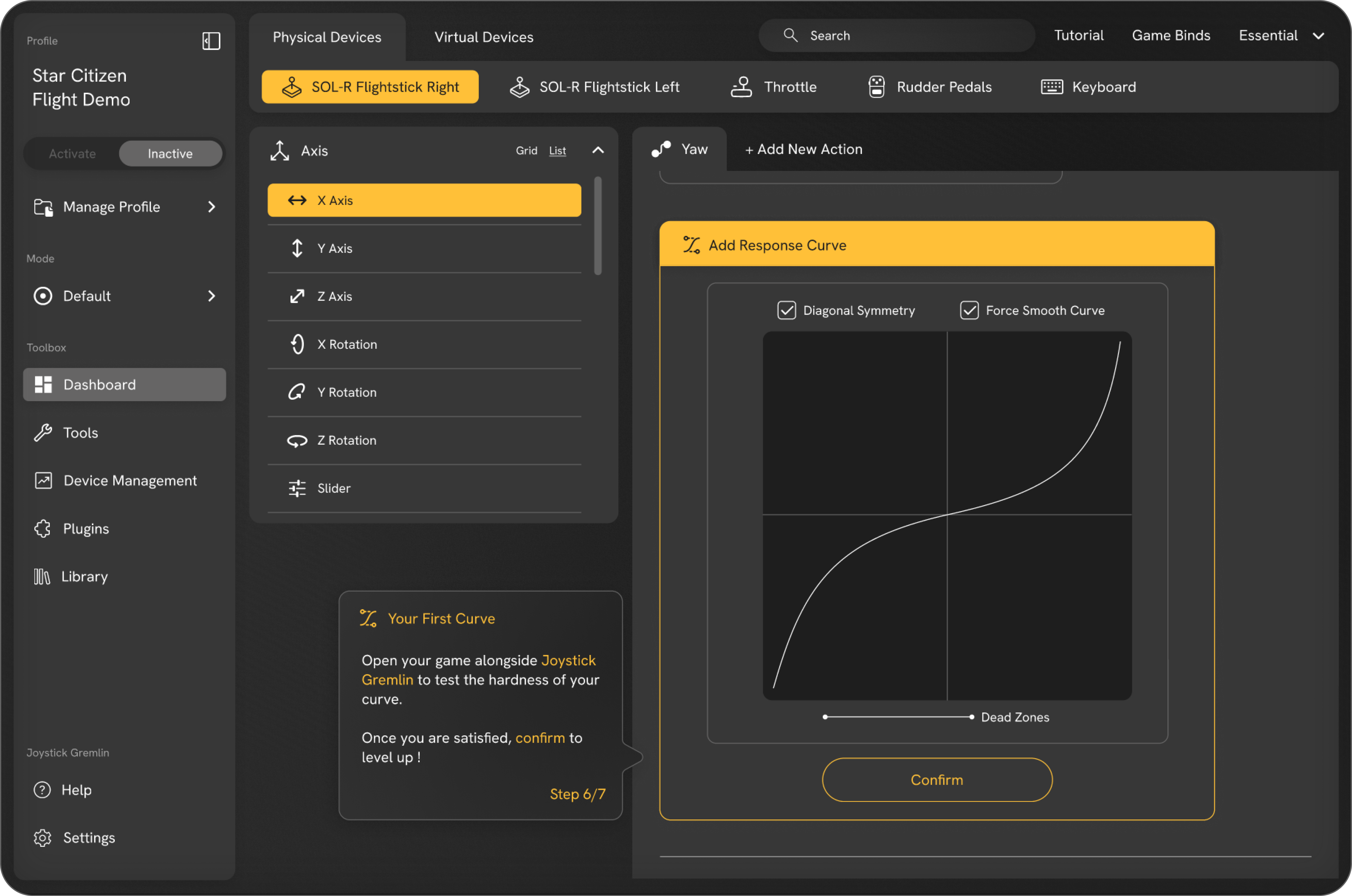
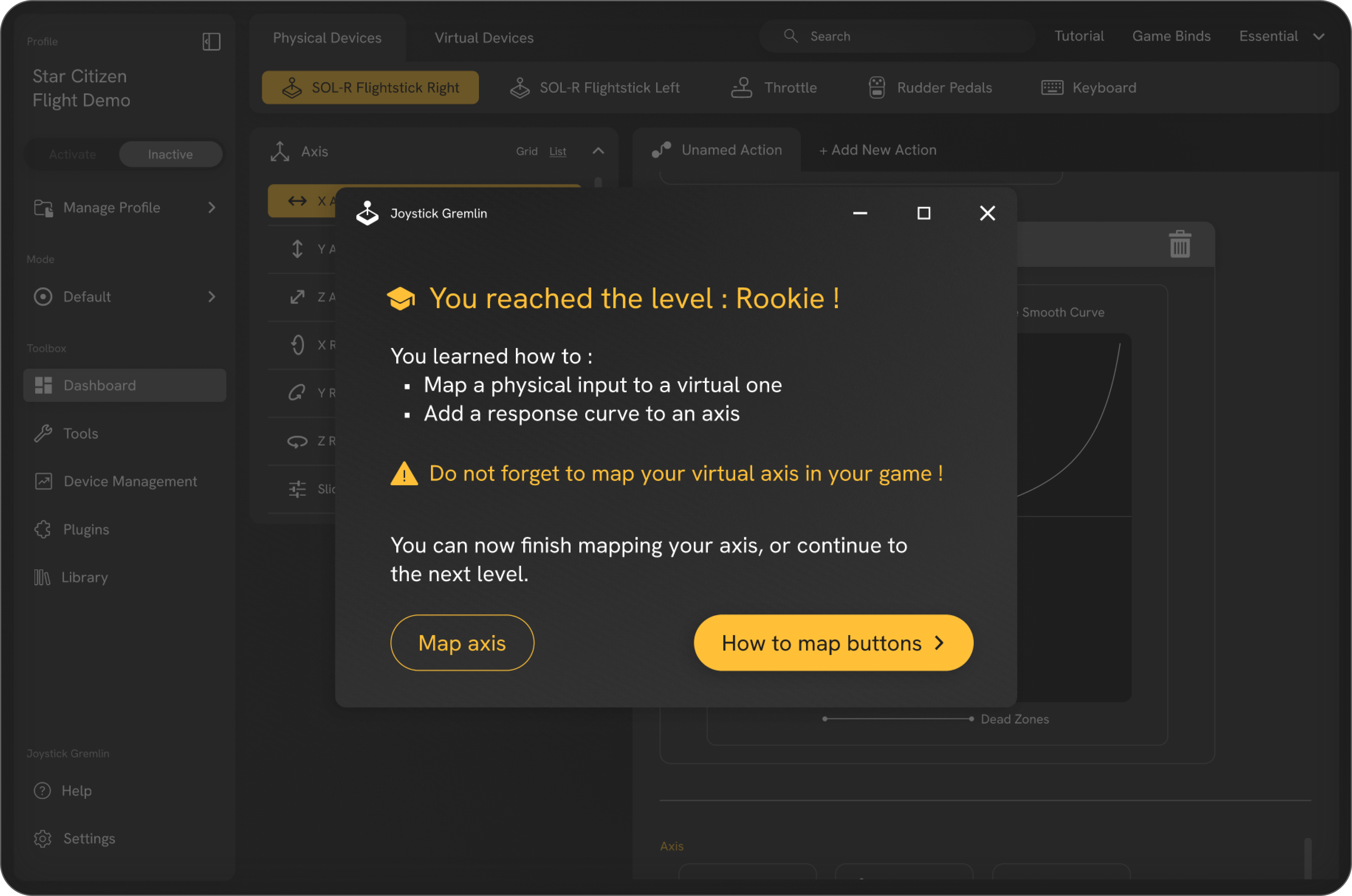
In practice, this involves implementing an onboarding process that handles the mandatory hardware setup - previously the main hurdle for new users - actionable tutorials within the tool that users can access at their own pace, and a clear visualization of Joystick Gremlin’s features.
New users were invited to test these solutions in the form of storyboards during a recent collaborative workshop.
Following very positive feedback, time to begin the design phase!
These new features are also accompanied by a complete overhaul of the visual identity and user interface, which now adhere to the fundamental principles of usability and accessibility.
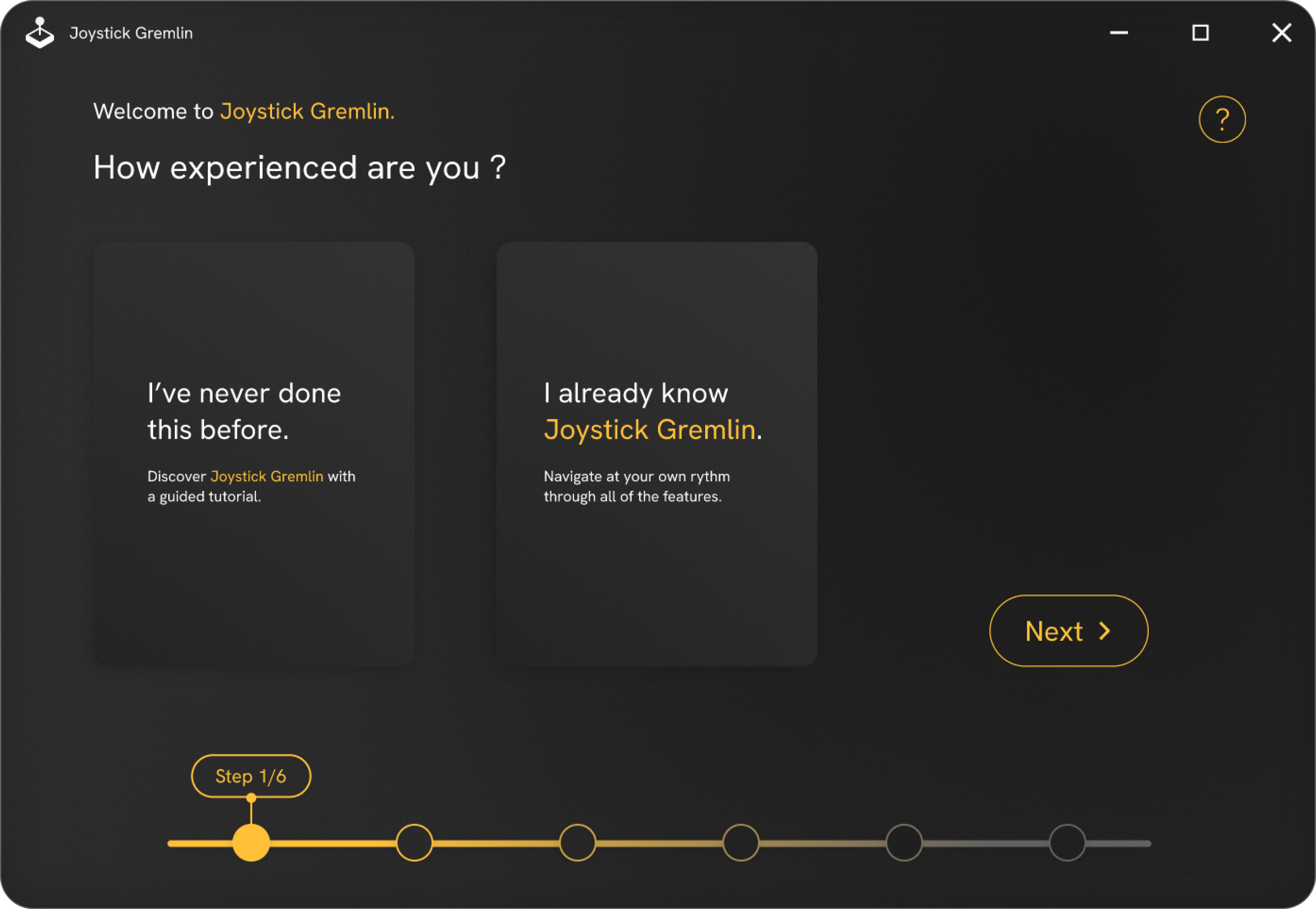
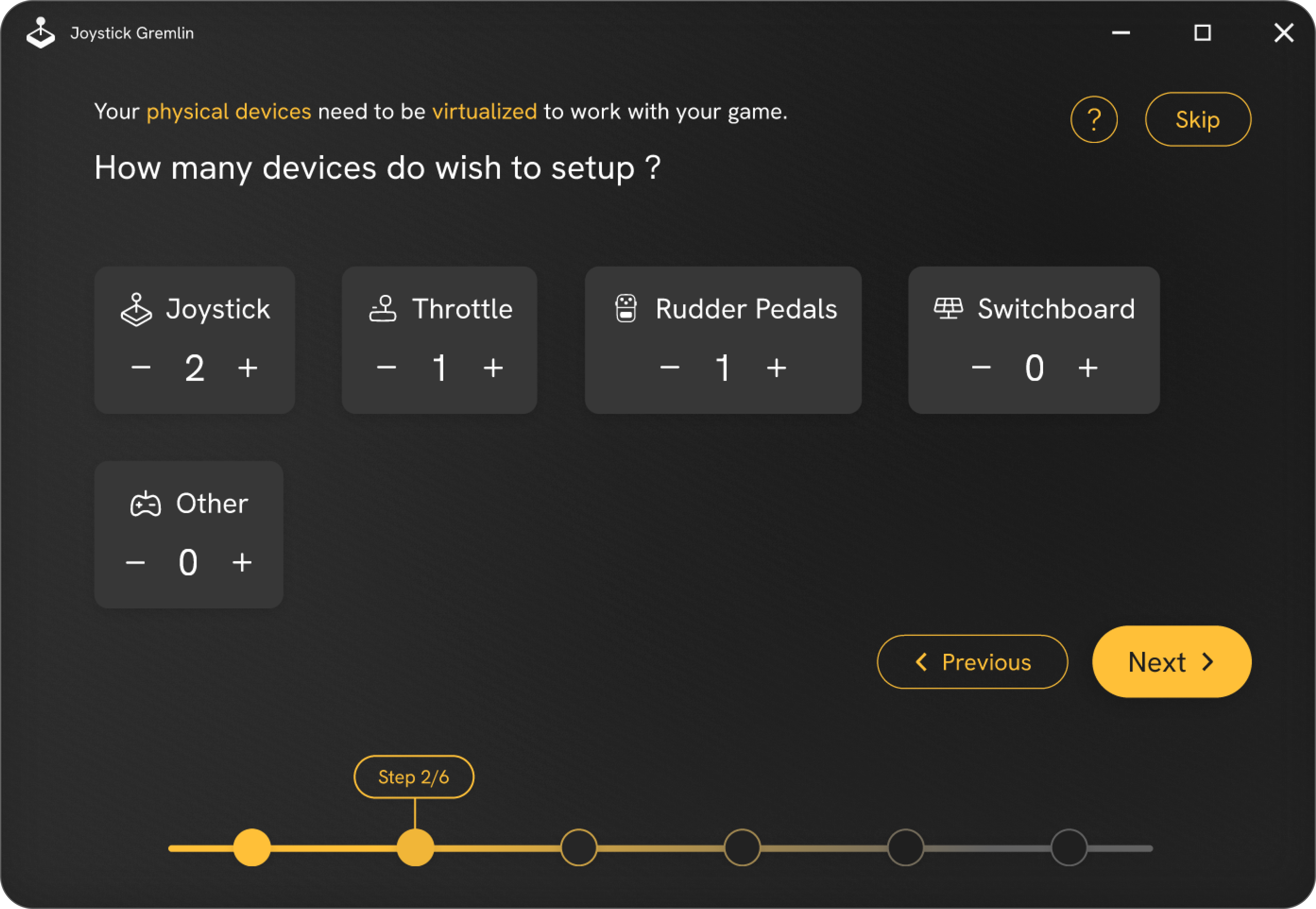
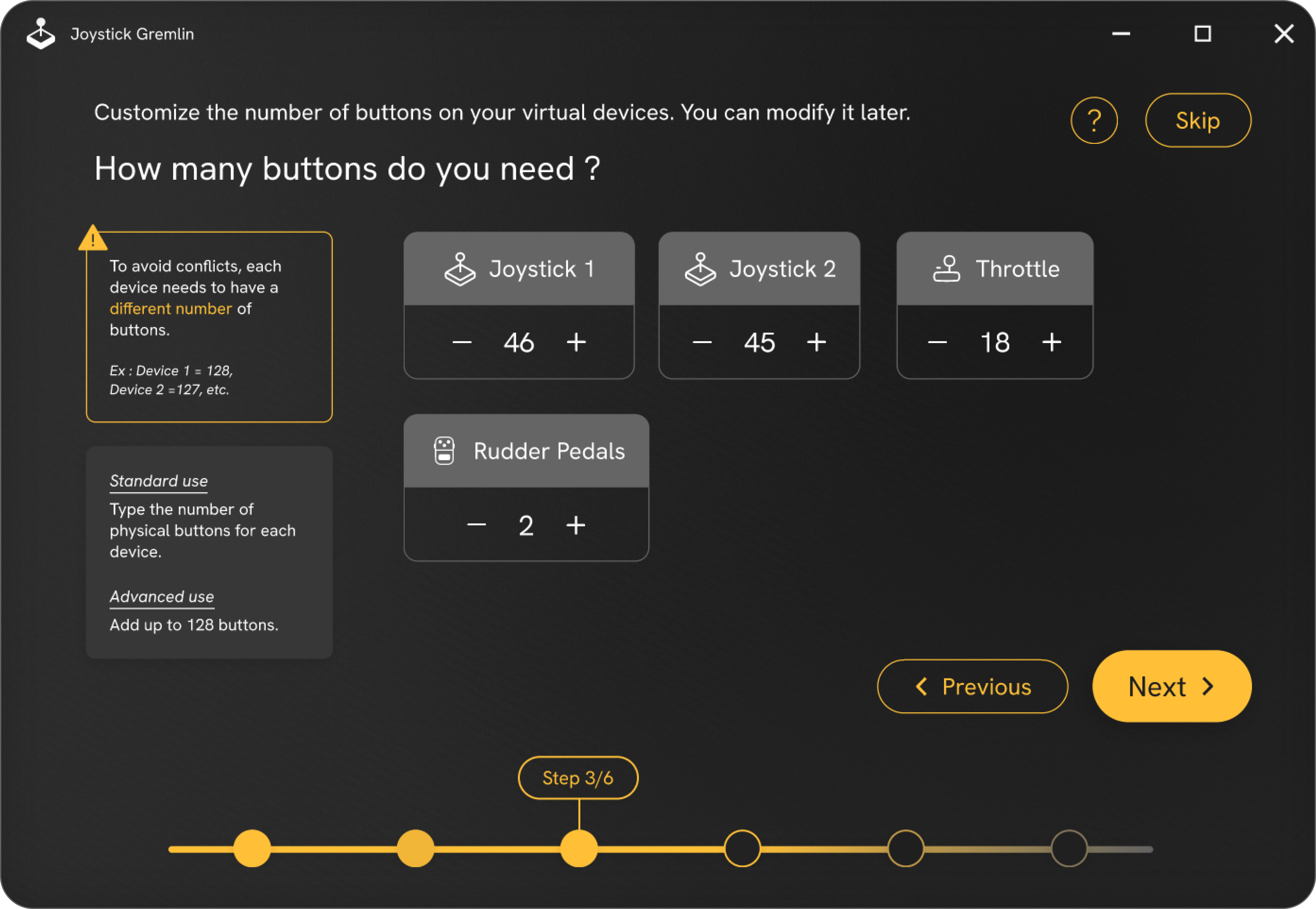
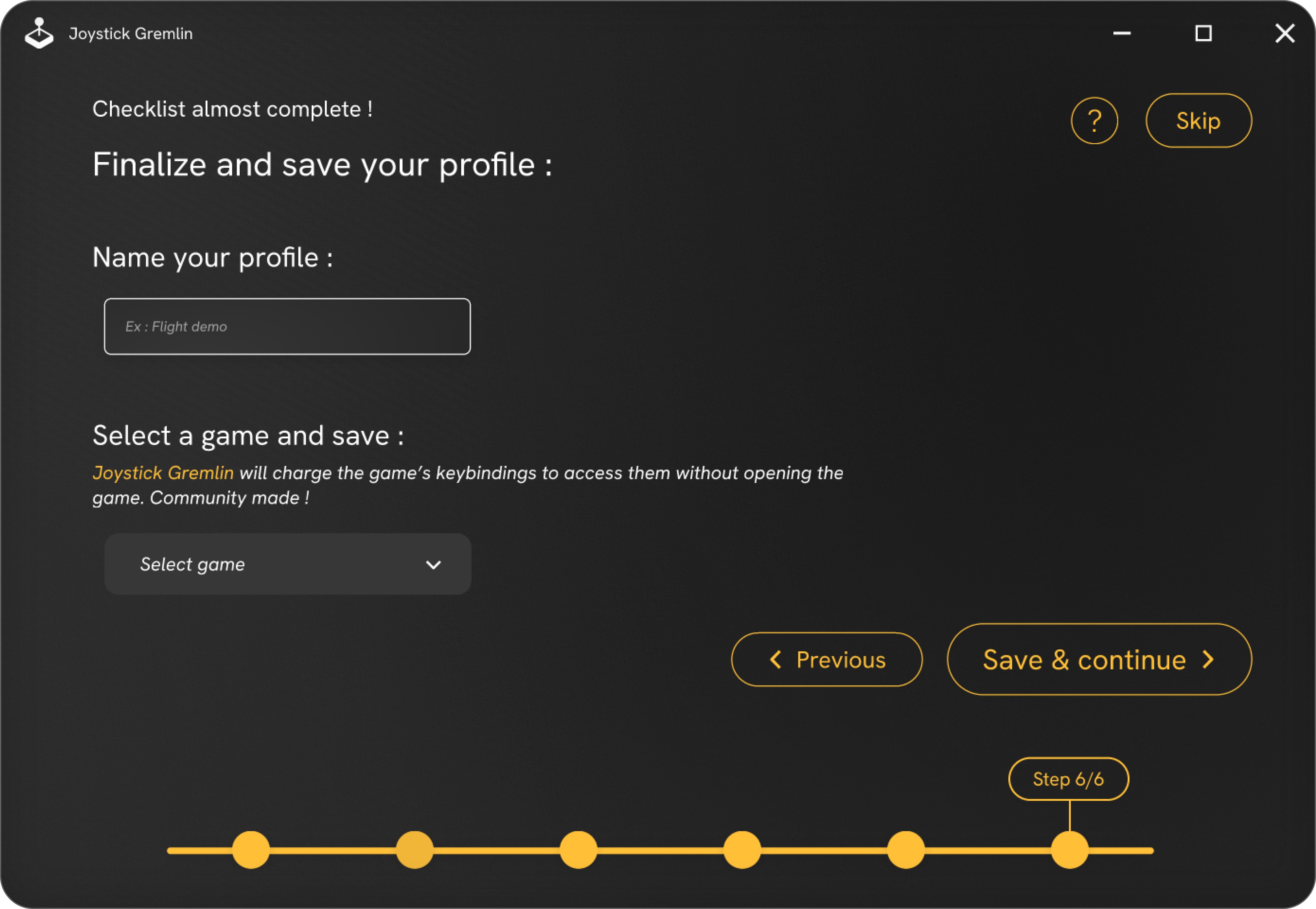
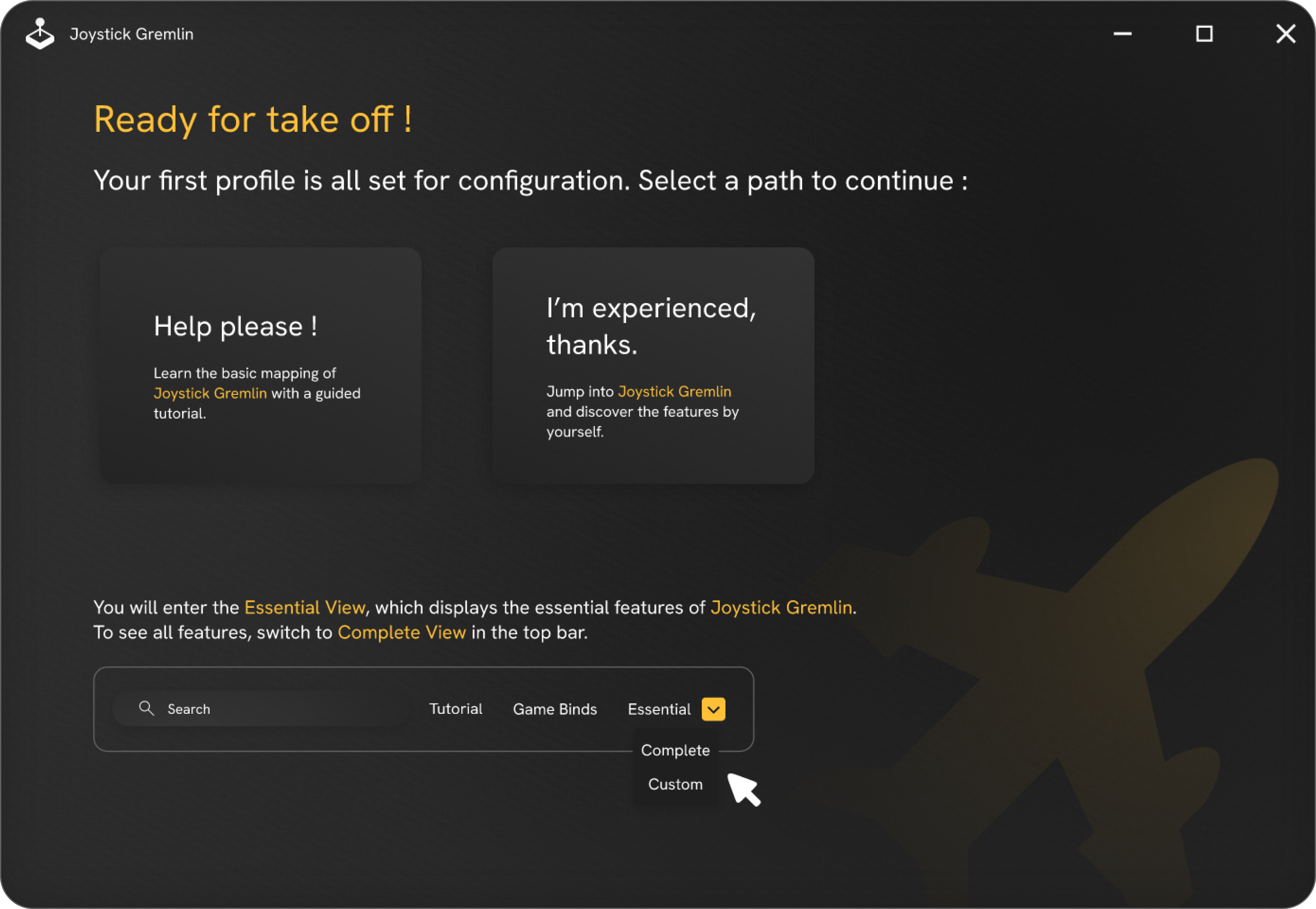
The design is complete: it's time to put the prototype in the hands of its future users.
Seven testers, representing all skill levels, were able to try out the new tool and share their feedback.
The usability score was excellent, and the feedback was nearly unanimous: the new version is easy to understand, encourages exploration, and is even enjoyable to use.
Configuring one's flight equipment with Joystick Gremlin is no longer a dreaded task, but one that users actually enjoy.